
 Kate Donovan

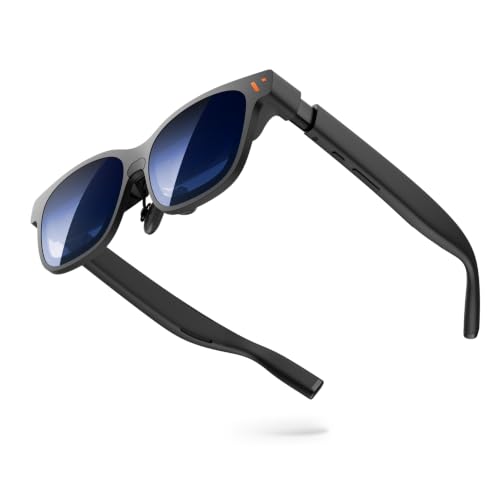
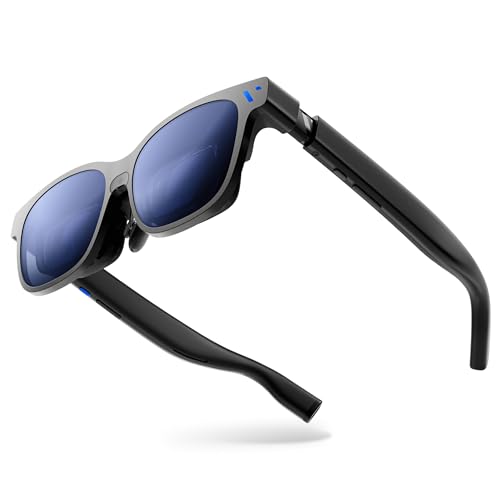
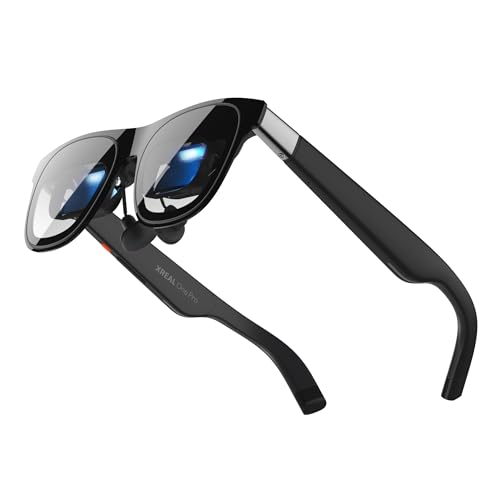
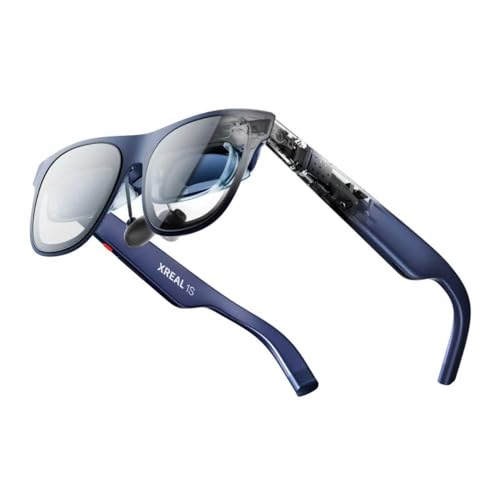
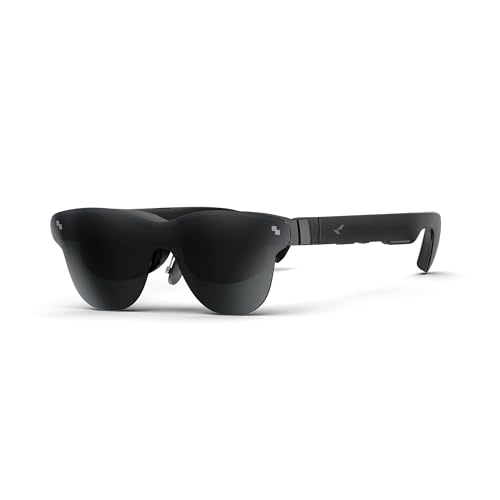
Last update on 2026-10-02 at 05:39 / Affiliate links / Images from Amazon Product Advertising API
By the year 2026, a whole lot of people can have in their pockets a personal, full-size display, and some models are already as clear as small tablets.
This guide clears the fuzz so that you can choose your perfect pair in no time. Smart glasses fall into two discrete camps. There are wearable display ones you plug into your phone or laptop and there are AI-first camera versions that have voice helpers and hands-free capture.
Best Augmented Reality Glasses Deals and Coupons
Last update on 2026-10-02 at 05:39 / Affiliate links / Images from Amazon Product Advertising API
We tried the XReal One Pro (the widest field of view), the budget RayNeo Air 3s Pro, and the Ray-Ban Meta Gen 2 with 3K video and Meta AI. You can expect a practical outlook on who each model suits, whether for work, travel, content creation, sports, and more.
You will quickly learn how the field of view, per-eye resolution, comfort, wired vs wireless reliability, audio leakage and lens options affect real use. This guide shows you what matters and what you’re paying for if you spend $250–$650+.
What’s New With Smart Glasses in 2026
Two clear product families dominate the market now: display-first models and camera-first models. Each aims at a different use case, so knowing which category fits your day matters more than brand hype.
Think of it like this: AR display options are a portable ultrawide monitor strapped to your face — private, big, and best for work or movies. AI camera models feel like earbuds with a built-in camera and a voice assistant — ideal for capture, calls, and quick visual help.
- What’s new: wider fields of view on premium displays, brighter micro-OLED panels, and cleaner controls and audio for all-day comfort.
- AI spread: faster “what am I looking at” queries, better voice control, and deeper hooks into the Meta ecosystem for visual assistance.
- Not ready yet: persistent world-locked overlays are rare, many devices still tether, and app support is uneven.
Decision shortcut: if you want a private screen for work or flights, shop AR display models. If you want capture, calls, and assistant features, shop camera-first smart glasses. Later sections explain specs so you can pick the best smart glasses for your needs without getting lost in buzzwords.
| Feature | AR Display | AI Camera | Convergence in 2026 |
|---|---|---|---|
| Main focus | Private display | Capture + voice + calls | Mixed: some hybrids, but tradeoffs remain |
| Strength | Screen size, image clarity | Microphones, speakers, camera | Better voice features and limited displays |
| Limitations | Tethering, uneven apps | Frame style, audio leakage | Not yet true hands-free world overlays |
How We Selected the Best Smart Glasses for This Roundup
We based picks on real use, not marketing claims. You get hands-on results for comfort, image clarity, and everyday reliability. Tests measured readable text, usable screen size, call quality, and whether you’d wear a pair all day.
Display quality and resolution benchmarks
Baseline: 1080p-per-eye is the practical sweet spot for value. The RayNeo Air 3s Pro lands here with a 46° field view and bright colors.
Step-up: 1,200p-per-eye and above — like the Viture Luma Pro at 1,920×1,200 — make text and UI feel like a real monitor.
Field of view expectations in 2026
Think of FOV as the screen size you actually feel. 46° works well for video. 57°, as on the XReal One Pro, opens multitasking and immersion.
Audio, comfort, and connection
We judged whether you can hear podcasts on a train and whether callers hear you clearly. Meta-powered models push mics and 3K capture for creators.
Comfort checks included weight balance, nose pressure, and hinge fit. For connection, wired units gave steadier visuals; wireless models gave freedom for quick use.
| Criterion | What we test | Good example | Why it matters |
|---|---|---|---|
| Display | Resolution, color, text legibility | Viture Luma Pro (1,920×1,200) | Sharp UI and less eye strain |
| Field of view | Degrees tested (46°–57°) | XReal One Pro (57°) | Greater immersion and multitasking |
| Audio & mic | Call clarity, leakage, loudness | Meta-powered models (strong mics) | Works for calls and voice control |
| Connection & comfort | Wired stability vs wireless mobility; fit | RayNeo Air 3s Pro (wired-friendly) | Depends on whether you value latency or freedom |
Quick Picks for Different Buyers
Pick a top model in seconds with this fast-match shortlist. Below are four clear choices so you can match a pair to your main goal in about 30 seconds.
Best high-tech option
XReal One Pro — 57° field view with built-in 3DOF tracking. Wired setup gives the most stable picture, and the display is bright and colorful. Ideal for work or movies when you want a private, big-screen feel.
Best budget value
RayNeo Air 3s Pro — an inexpensive pick with a sharp 1080p display and a 46° field view. Multiple color modes and surprisingly full audio make it the best value if you want crisp visuals without extra tracking features.
Best AI-first pick
Ray-Ban Meta Gen 2 — 12MP camera and 3K video capture with Meta AI for voice help. Great for hands-free photo and video work, calling, and quick visual queries. Watch for possible audio leakage and framing quirks.
Best for sports
Oakley Meta Vanguard — weather-ready, loud open-ear speakers, and action-focused recording modes. Built to move with you, but expect a premium price and modest battery life in our tests.
Quick watch-outs: some models need a wired tether; others lack focus dials. Audio leakage and short battery life showed up in testing. Jump to the full review for the model you’re considering.
| Buyer | Top Pick | Why it fits |
|---|---|---|
| Work & movies | XReal One Pro | Wider field view, stable wired picture, 3DOF tracking |
| Budget value | RayNeo Air 3s Pro | 1080p sharp display, vibrant color, full audio |
| Creators & AI | Ray-Ban Meta Gen 2 | 12MP camera, 3K video, Meta AI voice features |
| Sports & action | Oakley Meta Vanguard | Weather-resistant, loud open-ear speakers, action modes |
Augmented Reality Glasses: Best Overall for Work and Entertainment
Want a private, big-screen view without hauling a laptop? Display-first smart glasses deliver a theater-like screen that follows you. For work, travel, or bingeing shows, these models act like a pocket monitor you can wear.
Who these are best for in 2026
Frequent flyers, remote workers, students, and gamers get the most from display-first designs. On a plane or in a café you can set up a second screen in seconds. Your seatmate can’t peek at emails, and you don’t need a tray table or bulky gear.
For productivity, think of it as adding a second monitor—without setup. You can draft a spreadsheet, follow notes during a call, or stream a movie while you wait at the gate.
When AI-first smart glasses make more sense
If your main needs are voice commands, quick photos or video, hands-free calling, or visual search, pick an AI-first model like the Ray-Ban Meta Gen 2. Those prioritize capture and assistant features over a large wearable display.
- Display-first: best for long-form viewing, spreadsheets, and multitasking.
- AI-first: ideal for capture, on-the-go notes, and “what am I looking at?” help.
One reality check: most display models still focus on screen delivery, not full world overlays. If you want the best smart glasses for a private screen and real productivity gains, start by comparing field of view, resolution, and comfort in the reviews below.
XReal One Pro Review
Let’s see why the One Pro often feels like upgrading to a much larger, private monitor. The xreal one pro packs a 57° field of view and a bright, colorful display that makes movies and spreadsheets easier to read without squinting.
Spatial features that matter
The built-in 3DOF head tracking keeps the image anchored. In plain terms, the screen stays put as you turn your head so it feels like a real window you can look around.
Practical modes and connectivity
Side view mode lets you slide the display off to the side—handy when you need to chat or check your surroundings. The wired connection trades some freedom for a steady picture on laptops and phones; that stability is useful for focused work and long sessions.
Tradeoffs to know
The unit is premium-priced, so it makes sense if you’ll use it often for travel, work, and entertainment. Also, there are no focus dials—nearsighted users should plan on prescription inserts.
| Spec | What you get | Why it matters |
|---|---|---|
| Field of view | 57° | Feels like a noticeably larger screen for multitasking and movies |
| Display | Bright, colorful | Better text legibility and enjoyable video |
| Spatial features | 3DOF tracking, side view mode | Anchored image and quick tuck-away window |
| Connection | Wired | More reliable visuals for productivity |
| Limitations | High price, no focus dials | Costly for casual use; vision correction needs inserts |
RayNeo Air 3s Pro Review
If you want solid performance without a steep bill, this pair gets the basics right. The RayNeo Air 3s Pro is the buy-the-basics-done-right pick for casual video, travel, and light work.
Why it’s the best affordable option: the Air Pro delivers a true 1080p display that still reads sharp in 2026. That resolution keeps streaming, gaming, and email crisp without inflating the price or weight.
What you get
The rayneo air packs bright, vibrant color and multiple color modes so you can tune contrast for movies or text. You’ll notice how content pops on a plane or in a hotel room.
Audio feels fuller than most wearables in this tier. Open-ear sound makes podcasts and casual calls usable without isolating you from your surroundings.
What you give up
The 46° field view is modest compared with premium models, and there’s no head tracking to anchor the image as you move. Also, no focus dials mean some users will want prescription inserts for the best clarity.
- Good for: travelers, students, and anyone who wants a pocket monitor on a budget.
- Key tradeoffs: smaller field, no tracking, basic vision correction options.
| Spec | RayNeo Air 3s Pro | Why it matters |
|---|---|---|
| Display | 1080p | Sharp enough for video, games, and reading |
| Field view | 46° | Good for single-user viewing; less immersive |
| Audio | Open-ear, full | Clear podcasts and casual calls |
Viture Luma Pro Review
If you need vision-friendly wearables that actually fix focus, this pair deserves a close look. The Luma Pro aims squarely at nearsighted users with a practical mix of optical controls and daily usability.
Best for nearsighted users: focus dials correcting up to -4.0 myopia
Built-in focus dials let you tune clarity like binoculars. Dialing toward -4.0 corrects many common prescriptions so you can skip prescription inserts at first.
Display experience: bright, sharp visuals with a wide field of view
The display is bright and sharp, so text and video read well. The wide field gives more room for windows and multitasking without feeling cramped.
Extra touches: dimmable lenses and a polished everyday design
Dimmable lenses help when ambient light washes out the screen—think of it as pulling a shade down for better contrast. The overall design feels polished and easy to carry daily.
Limitations
Expect some edge blurriness at the 1,920-by-1,200 resolution and head tracking that works only in a small set of apps. Those tradeoffs matter if you need perfect corner clarity or broad tracking support.
- Who it’s for: users who value on-device focus control and practical, wearable design.
- Key specs: focus dials to -4.0 myopia, dimmable lenses, wide field display.
Ray-Ban Meta Gen 2 Review
If you want a stylish pair that hides tech in a familiar frame, this model is the obvious starting point. The Ray-Ban Meta Gen 2 mixes classic Ray-Ban design with Meta’s smart stack so you wear something that looks like everyday sunglasses.
Why style matters: if you’ll only use tech you can wear in public, the ray-ban meta keeps things subtle. The design fits social situations and avoids the “gadget” look.
Core capture and audio features
The built-in camera records 12MP photos and 3K video, letting you capture travel moments or quick work clips without pulling out a phone. That makes it handy for creators and parents who want easy point-and-shoot capture.
Speakers and microphones support calls, voice notes, and music. Audio is clear for everyday use, and voice control works well for hands-free commands.
Meta AI in practice
Meta AI adds voice-based help and visual assistance. You can ask questions about what you see and get instant answers. It’s useful, but expect occasional errors and to double-check critical facts.
What to know before you buy
- Audio leakage: sound can be audible to people nearby—watch for quiet spaces.
- Framing: shooting takes practice since you don’t see a preview like on a phone.
- Privacy & accuracy: the assistant helps, but it’s not infallible; verify important info.
Bottom line: If you want content creation plus voice features in a familiar frame, the meta ray-ban is a strong pick. If your top priority is a wearable display for work, consider a display-first model instead.
| Feature | Ray-Ban Meta Gen 2 | Practical benefit | Tradeoff |
|---|---|---|---|
| Design | Classic Ray-Ban look | Comfortable in public; stylish | Less obvious tech cues for some controls |
| Camera & video | 12MP photos, 3K video | Quick POV capture for travel and notes | Framing requires practice; no live preview |
| Audio & voice | Speakers + microphones, voice control | Hands-free calls and commands | Audio leakage can bother bystanders |
| AI features | Meta visual assistance | Fast answers tied to what you see | Occasional accuracy errors; verify important details |
Oakley Meta HSTN Review
When audio quality is your top priority, this Oakley pair earns attention before anything else. These smart glasses focus on sound first, and that shows in daily use. They are Meta-powered and record 3K video, but audio is the star.
Best for music lovers: clear audio with minimal sound leakage
The HSTN delivers crisp mids and highs that keep voices and melodies clear. You won’t get deep, earbud-level bass, but the overall quality makes music and podcasts enjoyable while you stay aware of your surroundings.
Minimal sound leakage is the feature you’ll notice most — people nearby hear little, so these work well in shared spaces.
- Open-ear expectations: clean mids/highs, limited bass.
- Speakers and mic tuning: calls stayed clear while walking and in noisy streets.
- Bonus: 3K video capture for quick POV clips, not the main reason to buy.
Battery life and daily wear compared with Ray-Ban Meta
In testing the battery lasted a bit longer than the ray-ban meta Gen 2 between charges. That means you’re more likely to reach afternoon use without digging for the case.
Still, if you push lots of music, calls, and capture, plan to top up by evening. The AI assistant helps but makes mistakes sometimes, so don’t rely on it for critical info.
| Feature | Oakley Meta HSTN | Practical takeaway |
|---|---|---|
| Audio focus | Clear mids/highs, low leakage | Great for music and public use |
| Battery life | Slightly longer than Ray-Ban Meta Gen 2 | More afternoon uptime; still not all-day under heavy use |
| Video & capture | 3K clips | Nice for POV shots; framing can be tricky |
Tradeoffs to know: You get better listening life and less leakage, but bass is limited, shot framing is fiddly, and the AI can err. Choose the Oakley if minimal sound bleed and call clarity matter most. If you want stronger bass or a different style, consider the ray-ban meta or other meta smart glasses instead.
Oakley Meta Vanguard Review
Built for movement and mess, the Oakley Meta Vanguard aims to be your go-to pair for training day. These glasses push a clear sports-first approach: secure fit, water-resistant construction, and controls you can use without stopping your run.
Built for athletes: weather-ready design and loud open-ear speakers
The Vanguard’s weather-ready build handles sweat and rain so you can train without babying your gear. The wrap-around frame locks in place and resists slop and grit.
Open-ear speakers deliver loud, clear cues while leaving your ears free. That means you hear coaching prompts or playlists and still stay aware of traffic and surroundings.
Action capture: video recording options designed for movement
The camera and video modes favor steady, usable clips when you’re bouncing over roots or pedaling hard. Stabilized capture, quick-start recording, and simple button controls help keep footage watchable.
Don’t expect phone-level framing: you’ll learn to aim by feel, but the results are great for training logs and quick social clips.
Where it falls short: price and unimpressive battery life in testing
Be blunt: the price is high, and our tests showed modest battery life under heavy use. If you do long training days without charging, that shortfall matters.
Also, the AI features can misfire sometimes—useful for quick queries but not a flawless coach replacement.
- Who should buy: if you’ll use these weekly for workouts, the sports-focused features justify the cost.
- Who should skip: if most of your use is casual or office-based, a lifestyle Meta model may be smarter on price and battery life.
| Strength | Why it matters | Tradeoff |
|---|---|---|
| Weather-ready design | Works in rain, sweat, and mud | Higher price point |
| Loud open-ear speakers | Hear audio and ambient noise | Not sealed, limited bass |
| Action video modes | Usable footage while moving | Battery drains faster under capture |
Chamelo Music Shield Review
Chamelo’s Music Shield leans into simple wearable audio and tint control without extra gadget fuss. It feels like sunglasses that also play music and darken on demand.
Who this is for: you want smart sunglass vibes—music and light control—without display or heavy camera features. It’s a low-complexity option for daily outdoor use.
Dimmable lenses: instant shade when you need it
Walk from bright sun into a café and tap to change lens darkness instead of swapping eyewear. The adjustable tint works smoothly and feels useful in real life.
Sound and comfort
The light frame keeps weight low so you forget you’re wearing them. Speakers deliver surprisingly good audio for the form factor—great for podcasts, casual listening, and short calls.
Downsides and value
Controls are limited compared with larger ecosystems, and there’s no prescription option. If you need vision correction or many on-frame controls, choose differently.
- Design: light frame, easy wear.
- Features: dimmable lenses, built-in speakers.
- Price vs quality: often more affordable than AI or full-display systems.
| Attribute | What it does | Best for | Tradeoff |
|---|---|---|---|
| lenses | Adjustable tint | Outdoor to indoor transitions | No prescription option |
| speakers | Open-ear audio | Podcasts and short calls | Not for heavy bass |
| comfort | Light frame | All-day wearability | Limited on-frame controls |
Best Smart Glasses for Work and Enterprise Use
On busy job sites, keeping information in your line of sight changes how work gets done. Enterprises adopt wearable displays to keep teams hands-free and focused. Use cases include warehouses, field service, healthcare, logistics, and other places where you can’t stop to pull out a phone.
Hands-free workflows: remote support, training, and frontline productivity
Imagine a technician streaming what they see to an expert who guides repairs in real time. A new hire follows step-by-step overlays while both hands stay on the task. A supervisor captures proof-of-work with a quick voice command instead of holding a camera.
Concrete result: DHL reported a 25% jump in picking efficiency after showing task lists in view.
Why businesses adopt smart tools: keeping teams focused in the field of view
The key benefit is simple: information stays where your eyes already are. Think of it as a sticky note placed on the exact part you’re fixing. That minimizes head-down time and reduces mistakes.
What IT cares about: security, permissions, updates, and device management
Before buying, IT asks plain questions: does the device work with existing software and single sign-on? Can updates be controlled centrally? Are camera and mic permissions configurable to meet privacy rules?
- Compatibility: integrates with current tools and workflows.
- Reliability: survives a shift and stays connected.
- Manageability: centralized updates, logging, and access control.
| Business Check | IT Priority | Practical Benefit |
|---|---|---|
| Shift comfort | Durable hardware | Wear all day without fatigue |
| Tool compatibility | Secure connection & updates | Easy deployment and lower support load |
| Capture & proof | Permission controls | Compliant record-keeping and audits |
Buyer takeaway: if comfort, stability, and manageability rank high for you, those are the signs the best smart glasses are built for daily work use. For non-business buyers, those enterprise priorities often point to models that last and stay reliable in real life.
Buyer’s Guide to Smart Glasses Specs That Matter
Before you buy, learn the handful of specs that decide whether a pair becomes useful or just shelf tech. This short guide shows which numbers matter and how they affect real life.
Field of view and screen size
Field view is how big the screen feels. Bigger helps multitasking and watching video, but wide panels can show edge blur and change comfort.
Think: a 46° view suits single-task video; 57° or more feels like a second monitor for spreadsheets.
Battery life realities
Battery drains fastest when you record video, stream, or stay on long calls. Specs that claim “all-day” usually depend on light use.
Audio, speakers, and mic arrays
Check speaker clarity, mic quality, and wind handling. Good mics make calls reliable; strong speakers reduce leakage and improve music.
Lenses and vision correction
Focus dials (like the Viture Luma Pro’s -4.0 option) give built-in adjustment. Prescription inserts work if a model lacks focus control or you need exact correction.
Wired vs wireless connection
Wired gives steadier picture and lower latency; wireless frees you but brings heat, battery drain, and spotty connections—AI camera models tend to be wireless.
- Spec priority: comfort → display clarity → field of view → audio/mics → connection → extras (dimming, tracking).
- Read smartly: favor real-use notes over headline numbers.
| Spec | Practical tip | Example |
|---|---|---|
| Field view | Choose 46° for single tasks, 57°+ for multitasking | XReal One Pro (wide FOV) |
| Battery | Expect faster drain with video/calls | Streaming uses most power |
| Lenses | Pick focus dials or plan for inserts | Viture Luma Pro (focus dials) |
How to Choose the Right Pair for Your Use Case
Pick your primary use first — the right pair follows naturally from that choice. Start by asking where you’ll wear them most and what problem you want solved. Below is a quick guide to match needs with top features and models.
Best AR glasses for travel and flights
For travel, prioritize comfort, light control, and a stable connection. Choose a display-first pair when you want a private big-screen viewing experience on long flights.
Look for: light weight, dimmable lenses, and reliable wired or low-latency wireless links so the screen stays steady for hours.
Best smart glasses for content creation
If you make POV photos or 3K video, pick a model with a strong camera, one-tap recording, and clear mics. Ray-Ban Meta Gen 2 and Oakley Meta models offer 12MP cameras and 3K capture that speed up workflow for creators.
Best for productivity
For work and multitasking, prioritize field of view and head tracking. A wider FOV and tracking make the screen feel like a real workstation instead of a floating window.
Best for sports
Choose a secure fit, weather resistance, and controls you can use mid-run. The Oakley Meta Vanguard is built for action with a weather-ready frame and action-focused recording modes.
- Social note: some models look subtle for daily wear; others read as sporty. Match looks to where you’ll use them.
- Practical reminder: the best smart glasses are the pair you actually wear, not the one with the longest spec list.
| Use | Key feature | Good pick |
|---|---|---|
| Travel | Comfort + stable screen | Display-first models |
| Creation | Camera + one-tap record | Ray-Ban Meta Gen 2 |
| Sports | Fit + weather resistance | Oakley Meta Vanguard |
Price and Value in 2026: What You Should Expect to Pay
Price matters more than ever. The market now spans sensible budget options to premium, pro-grade models, so set expectations before you shop. Expect sticker ranges roughly from the mid-$200s up to $600+ depending on display size, tracking, and build quality.
Budget tier: affordable display models that nail the basics
Budget picks (about $250–$329) focus on a solid 1080p display and decent audio. The RayNeo Air 3s Pro sits near $289 and shows how good a basic wearable view can be for travel and casual video.
Midrange tier: better comfort, brighter displays, cleaner audio
Midrange units (roughly $330–$499) step up comfort and materials. You get brighter displays, less audio leakage, and longer battery life. These deliver better daily value if you wear them several times a week.
Premium tier: widest field of view, tracking, and top displays
Premium models (around $600+; the XReal One Pro is about $649) add wider field view, tracking features, and higher-per‑eye resolution. They make multitasking and long reading sessions feel more like a real second monitor.
- Hidden costs: prescription inserts, extra chargers, and protective cases can add $50–$200.
- Value tip: if you’ll use these weekly for flights or work, premium often pays off; for occasional entertainment, budget models give about 90% of the fun for half the price.
| Tier | Price (USD) | Key benefit |
|---|---|---|
| Budget | $250–$329 | 1080p display, acceptable audio |
| Midrange | $330–$499 | Brighter display, better comfort, cleaner audio |
| Premium | $600+ | Wider field view, tracking, top display quality |
Final note: focus and comfort are your real ROI. Specs matter, but clarity, fit, and battery life decide whether you actually wear the device. Buy what you’ll use most, not the highest spec sheet.
Wrapping Up The Best Augmented Reality Glasses
The basic rule after trying out the topmost models is simple – buy the pair that is compatible with your daily routine not the longest spec sheet.
For the experience of the largest wearable display, take the XReal One Pro. The RayNeo Air 3s Pro is the top choice for 1080p viewing and value. Opt for the Ray-Ban Meta Gen 2 if you need point-of-view capture and AI assistance, or the Oakley Meta Vanguard when a sport-ready fit and loud open-ear audio are most important.
Keep in the mind the real priorities, comfort/field of view/display clarity/reliability of connection etc. matters more than the flashy features. Light-sensitive or nearsighted? The first thing you should focus on is early application of dimmable lenses!
Choose your primary purpose travel, work, making things or sports then reread the corresponding review before you buy. Contemporary smart glasses still have a specialization and you should choose the right pair.



