Kate Donovan
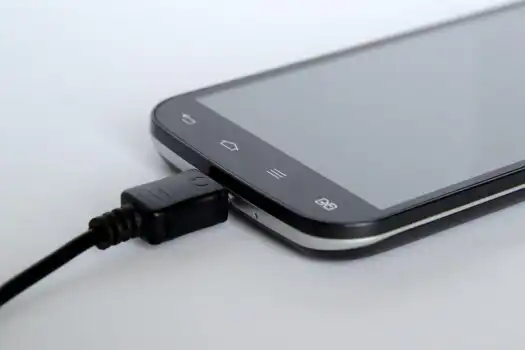
A 65W label may look excessive beside a phone, but it marks the charger’s maximum capacity—not a compulsory output.
A nearly empty phone, an airport outlet, and only a laptop charger in the bag: it is a common moment of hesitation. With properly designed USB-C equipment, the phone and charger negotiate a supported voltage and current before faster charging begins. The handset draws only the power it is built to accept, so a 65W charger might deliver 15W, 25W, or another supported level instead.
The wattage printed on the charger is therefore not the main risk. Safety depends on standards-compliant hardware, compatible charging protocols, a sound cable, and a phone with an undamaged port and battery. Poorly made adapters, frayed cables, loose connectors, or unusual heat are better reasons to stop charging than a high wattage rating alone.
What makes the pairing safe
- Protocol support USB-C Power Delivery and other recognized systems agree on a suitable charging profile before supplying higher power.
- Built-in protection A reputable charger should include safeguards against excess current, voltage, temperature, and short circuits.
- Cable condition Damaged, counterfeit, or poorly specified cables can cause unstable charging and excess heat even with a good adapter.
- Phone-imposed limit Charging may be no faster than with a smaller adapter because the phone’s own input limit remains in control.
Mild warmth can be normal during fast charging; persistent high heat, odor, or repeated disconnecting is not.
How a 65W charger delivers only what the phone requests
A compliant charger does not automatically send 65W to every connected device. It first advertises the voltage-and-current combinations it supports; the phone then requests a compatible option. If the phone accepts only 18W or 27W, the charger normally stays within that limit.
USB PD and PPS
USB Power Delivery (USB PD) uses standardized power profiles. A charger might offer several fixed voltage levels, and the phone selects one it supports. The exact charging rate can still change as the battery fills or its temperature rises.
Programmable Power Supply (PPS) is a more flexible part of the USB PD standard. Instead of choosing only a fixed profile, a compatible phone can ask for small voltage and current adjustments during charging. This can improve efficiency, reduce heat, and enable faster charging on phones designed for PPS.
What happens with proprietary fast charging
Some brands use proprietary systems that require a matching charger, cable, or both. Examples include manufacturer-specific high-current modes that are not available through ordinary USB PD.
When protocols do not match, compliant equipment usually falls back to a shared standard or basic USB charging. The result is generally slower charging, not excess power or damage. For instance, a 65W proprietary charger may charge an unrelated phone at a much lower rate.
That safety assumption depends on properly designed, standards-compliant hardware. Damaged cables, counterfeit adapters, poor USB-C implementation, or overheating devices remain reasons to stop charging and replace the suspect component.
What can make charging unsafe
A 65W rating is only the charger’s maximum output, not a promise to force 65W into every device. Genuine danger is more likely to come from poor construction, physical damage, or a fault in the phone.
Check the whole charging setup
Counterfeit or noncompliant adapters may lack proper insulation, temperature protection, or reliable power regulation. Unstable household power can also expose low-quality adapters to voltage fluctuations they handle poorly. Reputable safety markings help, although markings alone do not prove authenticity.
The cable and ports deserve equal attention. Stop using cables with split insulation, bent plugs, darkened contacts, or connectors that fit loosely. Pocket lint, metal fragments, and corrosion inside a phone’s port can cause poor contact, heat, and repeated charging interruptions; debris should be removed carefully with the device powered off, without metal tools.
A phone exposed to liquid should not be charged until the port is fully dry. Charging should also stop if the battery is swollen, the screen or back panel is lifting, or the device heats excessively even with another known-good charger. A swollen battery requires professional inspection rather than further testing.
Disconnect the charger immediately if there is abnormal heat, a burning or chemical odor, buzzing, sparking, a loose connection, or repeated disconnects. Move it away from flammable materials and replace or inspect the suspect charger, cable, outlet, or phone before charging again.
What to check before buying
-
Start with the phone’s requirements
The manufacturer’s charging specifications should name the supported standard and maximum input. This matters more than connector shape and is central to buying compatible electronics.
Look forUSB PD, PPS, or the phone maker’s named proprietary standard.AvoidChoosing solely because both devices use USB-C or the charger says 65W. -
Check the documented output profiles
A credible charger lists voltage-and-current combinations, not just total wattage. PPS is relevant only when the phone supports it, and its stated voltage and current range should suit the device.
Look forClearly printed PD profiles and a suitable PPS range.AvoidVague claims such as “fast charge compatible” without electrical specifications. -
Match the cable to the current
Inspect plugs and insulation for looseness, scorching, sharp bends, or exposed conductors. A 5A electronically marked USB-C cable matters when a charging mode requires more than 3A; otherwise, a sound 3A cable may be sufficient.
Look forAn intact cable with a stated current rating and 5A e-marker when required.AvoidDamaged, unmarked, or suspiciously thin cables. -
Verify safety marks and seller credibility
Regional markings should be appropriate to the market, traceable to the charger model, and supported by a real manufacturer. Established sellers also reduce the risk of counterfeits and simplify warranty claims.
Look forRecognized local marks, model identification, warranty details, and a trustworthy seller.AvoidImitation logos, missing manufacturer information, or unverifiable marketplace listings.
Match the phone, charger, and cable
-
Find the phone’s charging limit
Check the manufacturer’s specifications for maximum wired charging wattage. A phone rated for 25W will not charge at 65W simply because the adapter has extra capacity.
-
Identify the required charging protocol
Look for USB Power Delivery (USB-PD), PPS, Quick Charge, or a brand-specific standard. A proprietary feature may require the matching adapter and cable for top speed, but ordinary USB-PD charging generally remains safe at a lower rate.
-
Read the output listed for the chosen port
Confirm that the USB-C port supports the needed voltage, current, and protocol. On multiport chargers, total power may be redistributed when another device is connected, so each port’s individual rating matters.
-
Pair it with a suitable cable
Use an undamaged cable rated for the required current and power. Higher-power USB-C charging may require an electronically marked cable, while proprietary fast charging can depend on the manufacturer’s cable.
-
Watch the first charging session
Confirm that charging remains stable and that the plug, cable, phone, and adapter become no more than moderately warm. Disconnect the setup if charging repeatedly stops, connectors become unusually hot, or an odor or warning appears.
Charging speed may also fall as the battery fills or the phone warms; that behavior is normally intentional.
Choose the right 65W charger format
A single-port charger suits a phone-only setup or a laptop charged separately. Its advantage is predictability: the connected device can access the charger’s full supported output, subject to protocol and cable limits.
A multiport charger is more convenient for a phone, tablet, earbuds, or laptop sharing one outlet. However, the 65W rating usually describes the charger’s total capacity, not 65W from every port at once. Connecting a second device may change the split—for example, 45W to a laptop and 20W to a phone—and some chargers briefly interrupt charging while renegotiating.
Before buying, check the manufacturer’s output table for each port combination. Port labels alone rarely explain what happens when two or three devices are connected.
Travel-oriented models add folding pins, interchangeable plug heads, or a detachable lead. Compact dimensions help in crowded sockets, but a heavy charger can sit poorly in loose wall outlets. International use also requires an appropriate plug adapter and an input rating covering the local mains voltage.
GaN construction can make a 65W charger smaller and more efficient, which is valuable in bags and power strips. It does not by itself prove electrical safety or compatibility. Documented USB PD/PPS support, credible certification, thermal protection, and a trustworthy manufacturer remain more meaningful than “GaN” on the packaging.
Charging heat: myths and facts
Charge on a hard, open surface rather than a bed, sofa, or bag. If the phone becomes unusually warm, remove a thick case, stop gaming, and move it away from sunlight or a hot room.
Use a firm, undamaged wall outlet. Avoid loose sockets, scorched power strips, overloaded adapters, and damaged extension leads; suitable equipment can also protect chargers and phones from power surges. Disconnect the setup if there is crackling, a burning smell, repeated shutdowns, or persistent overheating.
A quick routine before charging
-
Inspect the hardware
Check the charger, cable, plugs, and phone port for cracks, bent contacts, fraying, debris, or moisture.
-
Confirm the pairing
Use a charger that documents the phone’s charging standard and a cable rated for the required current.
-
Choose an open surface
Keep the phone and charger uncovered and away from bedding, direct sunlight, and other heat sources.
-
Watch the first few minutes
Mild warmth is normal. Repeated disconnects, unstable charging, or rapidly rising heat are not.
-
Stop at warning signs
Disconnect and replace suspect equipment if there is damage, excessive heat, a burning odor, or unusual buzzing or crackling.
A well-made, standards-compliant 65W charger is generally safe for a compatible phone. The 65W figure is its maximum capacity; the phone accepts only the power negotiated through the supported charging protocol.
Charging should stop immediately if hardware is damaged or behavior becomes erratic. Excessive heat, odor, or electrical noise warrants discontinuing use and replacing the faulty charger or cable.